The recorder you already own.
jotto turns the Apple Watch on your wrist into an everyday recorder. Tap the dot and talk. Your iPhone writes it down as clean, titled text you can search, mark and send on: to your notes, or to your own AI agent.


Why jotto
I've started recording my days: in-person meetings, coffee chats, anything I might want to look back on. My agents keep it, pick it apart and handle the follow-ups. Every AI recorder I looked at meant another device to charge and carry, a few hundred dollars up front and a subscription on top. I already wear an Apple Watch, and the iPhone in my pocket can run speech models on its own, so I built jotto to make the watch the recorder I wanted.
The watch records with its screen off and hands the audio to the iPhone as it goes. Out of range, it waits and catches up later. Without the watch, the iPhone records on its own.
Clean text
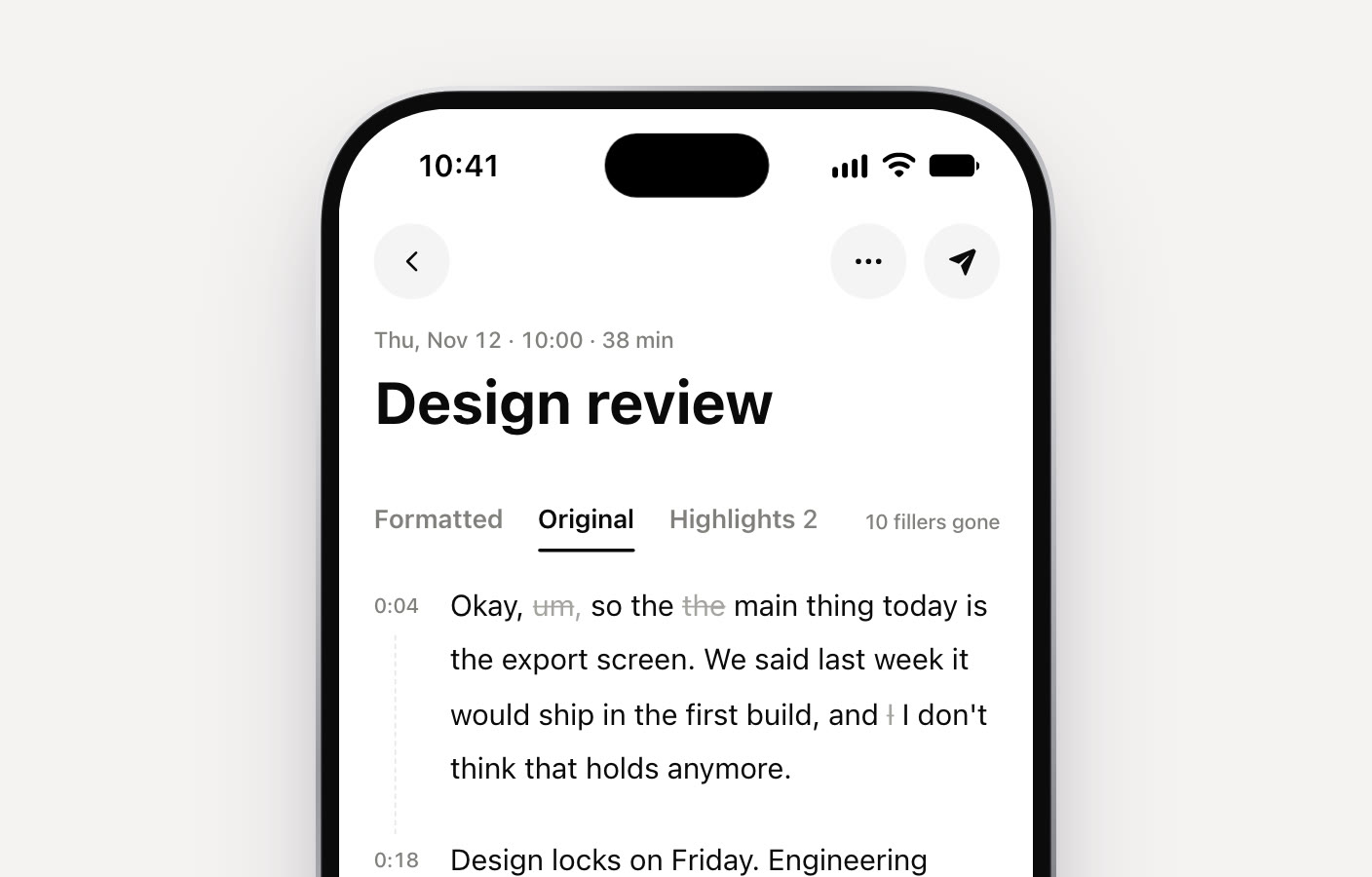
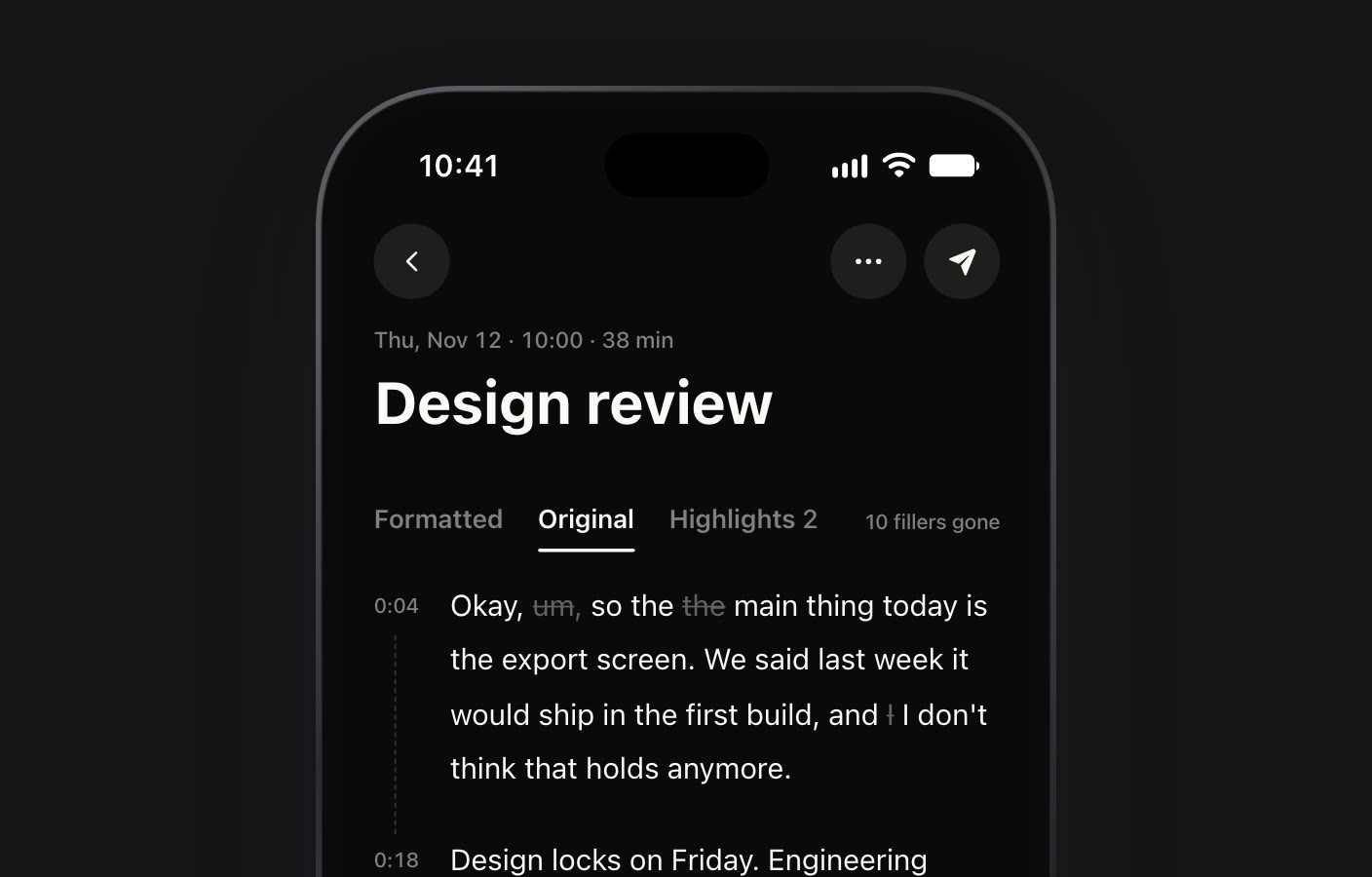
jotto is deliberately small. It records, transcribes, and tidies up a little: the ums, repeats and false starts come out, punctuation and paragraphs go in. That's it. Original keeps every word, with what was taken out struck through. What happens next, I leave to the agents we already use.
Your agent, not another one
jotto isn't trying to be another agent with a pile of built-in features. It won't hand you another to-do list, another set of action items, another summary of your day. That's not how I use it. My days run on Codex and Claude Code, so all I need from jotto is to get the words out, fast and clean, and let them do the rest. Everyone has their own agents and their own way of working with them, so what comes next is yours to decide.
To make that easy, jotto lets you set up templates that travel with the transcript: your instruction first, the transcript after, as Markdown or plain text, ready for whichever agent takes it from there.


Automate it with Shortcuts
Anything you do every day is worth automating, so jotto works with Shortcuts. Start, stop and mark a recording from the Action Button, Controls or a complication on your watch face. Turn on Notify when ready and add an automation for jotto's notification, and every finished transcript goes wherever you point it on its own: an iCloud folder, an email, any app with a Shortcuts action. Once each, nothing skipped.
Pick how it listens
The iPhone's Neural Engine is strong enough to run speech models on the phone, and Apple has one built in, so that's where I started. It works, but not perfectly, and I wanted whoever uses jotto to choose for themselves. So there's a local model that tested well, Qwen3-ASR, to download and run fully offline, and you can bring your own key and send the audio to a cloud model instead.
| Apple | Built into the iPhone. Up to three languages; jotto works out which one each recording is in. |
|---|---|
| Qwen3-ASR | On the iPhone too, after a 950 MB download. For recordings that mix languages, even within one sentence. |
| Your own key | OpenRouter, or any OpenAI-compatible service. Tells speakers apart; you pay the service directly. |
Titles and tidying come from Apple Intelligence where it's available, or from the model behind your key. Which model, and what it costs
Yours, on your devices
- No account, no server, no analytics, no ads.
- Recordings and transcripts stay on your iPhone and watch. Audio is deleted 30 days after it's transcribed, or when you choose.
- Nothing leaves the app unless you send it, or you use your own key, and then it goes straight from your iPhone to that service.
Free and open source
jotto is free, with no in-app purchases, and its full source is on GitHub under the GPLv3. Read the privacy policy, or open an issue if something's wrong.